Steel Crossfire Loadouts Guide
Weapons, reload discipline, and Shard priorities — loadout upgrades vs new bots.
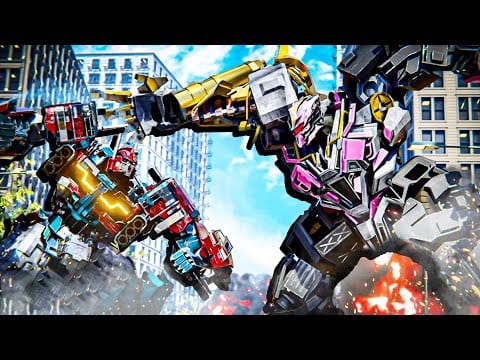
Loadouts in Steel Crossfire determine which weapons your Bot form carries into TDM and Domination matches on Roblox from Marmot’s Oven. Vehicle and Jet forms use striker holds instead of full loadout swaps, but every fight eventually returns to Bot gunplay, F weapon switches, and R reloads. Shards fund both loadout upgrades and chassis unlocks like Skirmish, Beater, and Centurion — spending order matters in Season 1. This guide explains loadout mechanics, when to upgrade weapons versus bots, and links to Unlock Characters, How to Get Shards, and Best Starters.
Loadout basics in Bot mode
Bot form is where loadouts live. Official PC bindings from the experience page:
| Action | Key |
|---|---|
| Fire | Left Mouse Button |
| Aim | Right Mouse Button (hold) |
| Reload | R |
| Switch weapons | F |
| Melee | E |
| Parry | Q |
F cycles weapons in your equipped loadout — not a universal inventory hotkey mid-match unless the current build supports on-the-fly swaps from the shop UI between rounds. Confirm behavior in the lobby loadout screen after Latest Updates patches economy UI.
R reloads the active weapon. Reloading in the open during Bot duels is a common death cause — break line-of-sight, Ctrl dash, or T to Vehicle before mag management.
Customize binds in Settings if F conflicts with Roblox proximity prompts on PC.
Vehicle and Jet vs loadouts
Vehicle and Jet forms replace Bot gunplay with:
- Shift boost (ground or air)
- Space drift (Vehicle) or ascend (Jet)
- RMB striker holds
You cannot F swap weapons mid-Jet, but you return to Bot with whatever loadout you configured in lobby. Plan loadouts before queuing — not after you spawn in TDM.
Chain example: Bot burst → empty mag → T Vehicle escape → T Bot behind cover → R reload → re-engage. See Vehicle Combat and Jet Combat for transform timing.
Where to edit loadouts
Typical flow (verify in live UI):
- Enter Steel Crossfire lobby on Place 133197203959042.
- Open shop or loadout menu (label varies by patch).
- Assign weapons to loadout slots per chassis if the game supports per-bot layouts.
- Save before queuing Valorians or Reavers teams.
New players should finish Getting Started before spending Shards — the shop UI overlaps with character unlock screens.
Shard spending: loadouts vs chassis
Shards are finite. Season 1 codes (SEASON1, 20KLIKES, UPDATE, 20KLIKES1) grant flat currency and boosters on Active Codes — not automatic loadout maxing.
Priority framework for new accounts
- Master one starter chassis — Pointrunner, Revv, Bastion, or Hardline (Best Starters).
- Fix controls — PC or mobile plus Settings.
- First major Shard purchase — Usually a chassis unlock that matches your role (Unlock Characters).
- Loadout upgrades — When you lose trades despite good aim and transforms.
- Cosmetics — After gameplay purchases stabilize.
When loadout upgrades win
Upgrade weapons when:
- You consistently lose mid-range duels on the same starter bot.
- Your team comp lacks range and you are not ready to buy Hardline-style specialists.
- Patch notes buff specific weapon families — check Latest Updates.
When chassis unlocks win
Buy new bots when:
- You mastered transforms but hit a role ceiling — e.g., Pointrunner flanks work, but you need Skirmish steal tools (Skirmish tier).
- Your squad needs an anchor and you only own mobility starters — Centurion path (Bastion & Centurion).
- You graduate from Revv aggression to Beater melee (Hardline & Beater).
A expensive chassis with default loadout often beats a starter with max weapons if you cannot pilot the starter anymore — but most new players lose to inputs, not DPS.
Loadout tips by playstyle
Aggressive Bot / melee hybrid
- Prioritize weapons that finish after E melee or Q parry confirm — Melee & Parry.
- Keep one mid-range option for Hardline angles you cannot dash into.
- Revv and Beater players: reload discipline matters less if fights end in melee — until they do not.
Objective anchor
- Bastion and Centurion players: weapons that win long trades on cap ring.
- Do not chase loadout meta if your team needs you on point — Domination tips.
Flank / mobility
- Pointrunner and Skirmish: lighter weapons you can fire during dash resets.
- Vehicle rotate → Bot cap with a weapon you can aim immediately after T transform.
Season 1 Battle Pass and loadouts
Pass tiers drip Shards and sometimes cosmetics — rarely replace smart loadout/chassis decisions. Stack SEASON1 boosters during sessions where you test new loadout purchases — Season 1 Battle Pass guide explains tier pacing.
Codes, boosters, and loadout experiments
Redeem codes before buying:
| Code | Loadout relevance |
|---|---|
| SEASON1 / Season1 | Shards + boosters for test sessions |
| 20KLIKES | Flat Shards |
| UPDATE | Flat Shards |
| 20KLIKES1 | Flat Shards |
Use boosters during loadout A/B tests in Domination — not one-round TDM quits. See Where Codes Drop for announcement timing.
Common loadout mistakes
- Maxing weapons before learning T transform chains (Transform Modes).
- Reloading in cap circle during contested Domination.
- Buying Grand Beater with empty loadout planning — bruisers need melee and gun cleanup.
- Ignoring F swap against shield-heavy Centurion Major lines.
- Spending all Shards on cosmetics from Winter update skins while losing gunfights.
Teased content note
Grand Beater Emperor is teased and not in the live shop yet — save Shards if bruiser mains want day-one unlock, but do not neglect loadout basics on current Beater line (Grand Beater Emperor teaser).
Related guides
- Unlock Characters — Chassis purchase paths
- How to Get Shards — Farming loop
- Best Starters — First bot picks
- Team Deathmatch — Test loadouts under fire
- Active Codes — Fund upgrades legitimately
Loadouts win trades; chassis win roles. Learn F and R on a starter, spend Shards where losses actually happen, and upgrade guns or bots — not both impulsively in the same booster window.
Frequently Asked Questions
Quick answers to the most common Steel Crossfire questions.
How do you switch weapons in Steel Crossfire?
In Bot form, press F on PC to cycle loadout weapons. Configure slots in the lobby loadout or shop UI before queuing. Vehicle and Jet use striker holds instead.
Should I spend Shards on loadouts or characters first?
Most players should master a starter chassis first, then buy a role-matching unlock like Skirmish or Centurion. Upgrade loadouts when you lose trades despite good transforms and aim.
Can you reload in Vehicle or Jet mode?
Reload is a Bot-form action. Transform to Bot behind cover, press R, or plan mags before Vehicle or Jet commits.
Do loadouts differ between Valorians and Reavers?
No. Factions share storefront and loadout access — see Factions guide for cosmetic differences only.
Which codes help fund loadout upgrades?
SEASON1, 20KLIKES, UPDATE, and 20KLIKES1 grant Shards and boosters on Active Codes. Redeem before long test sessions.
Where do I test a new loadout safely?
Queue Team Deathmatch for gunfeel, then Domination for objective pressure. Pair with Settings remaps if F or R feel awkward.