Steel Crossfire Controls
PC keys, mobile buttons, and transform-mode inputs for Valorians and Reavers.
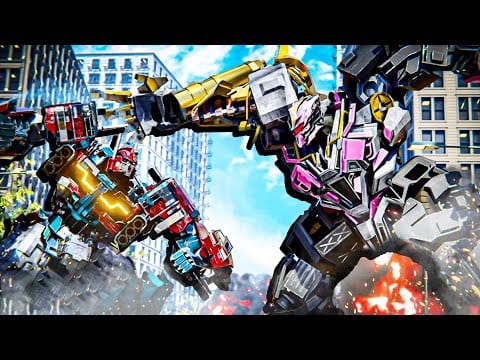
Steel Crossfire by Marmot’s Oven is a transforming-robot PvP shooter on Roblox where fights swing on when you change shape, not just aim. You brawl as Bots on the ground, pivot to Vehicles for map rotation and drift turns, then snap into Jets for vertical contests on Domination maps. Missing a transform because you forgot T on PC or the on-screen transform button on mobile costs caps, streaks, and Shards from booster sessions. This hub collects every official input reference and the practical habits high-level players use in Team Deathmatch and Domination.
Three combat modes, one control muscle
Every chassis—community favorites like Pointrunner, Revv, Bastion, Centurion, Hardline, Beater, Grand Beater, and Super Centurion—shares the same mode skeleton. Bot form emphasizes strafing, parries, and weapon swaps. Vehicle form trades melee for boost, drift, and striker holds. Jet form adds altitude control and aerial striker lines. The transform key (T on PC) is the hinge; everything else reshapes around it mid-fight.
Read transform modes for when to swap, not just how. Controls without decision-making still leave you in Jet form under a bridge while the cap point sits open in Bot form two meters away.
PC players start here
Keyboard and mouse offer the fastest parries, dash cancels, and aim flicks. The PC controls guide lists every binding from the official description: WASD move, T transform, E melee, Q parry, Shift run, Ctrl dash, Space jump, LMB fire, RMB aim, R reload, F switch weapons in Bot form, plus Vehicle/Jet boost and striker holds.
PC is the best place to drill Q parry timing against melee-heavy Reaver lines and Ctrl dash cancels out of striker telegraphs. Once bindings feel automatic, practice transform chains in a private lobby or low-stakes Team Deathmatch before ranked Domination sessions.
Mobile and tablet
Roblox mobile uses dual joysticks plus on-screen buttons for transform, fire, aim, melee, and ability slots. Layout varies by device aspect ratio; Steel Crossfire exposes customizable controls in settings so you can enlarge transform and parry buttons above the default clutter.
The mobile controls guide covers thumb reach, gyro optional aim, and why paste-redeemed boosters deserve better HUD layouts—dying because transform sat under the jump button wastes timed buffs from active codes.
For step-by-step remapping in the in-game settings menu, read Settings & Controls Customization — start from defaults on PC or mobile pages, then tune transform and striker binds per platform.
Transform mode deep dive
Transform modes explains Bot versus Vehicle versus Jet in Steel Crossfire’s Valorian/Reaver metagame: which mode caps points, which chases jet campers, and how Shift boost differs between ground and air. Pair that page with how to play for macro strategy and Domination tips for objective routes that assume you will transform twice per engagement.
Controls tie to economy and codes
Better inputs mean more round wins, which means more Shards even without boosters. Redeem Steel Crossfire codes for Shards, then buy bots you can actually pilot. The best starters tier list recommends forgiving chassis while you learn transform timing; there is no point unlocking Grand Beater if Vehicle boost still sends you into walls.
XP boosters from SEASON1 codes also reward clean sessions—fewer deaths, more objective time. Fix controls first, spend currency second.
Team Deathmatch versus Domination inputs
Team Deathmatch rewards aim duels and quick Bot melee trades. Domination rewards mode coverage: Vehicle for rotating between zones A and C, Jet for breaking stalemates on elevated sightlines, Bot for planting on the point itself. The controls do not change between modes, but priority does. DM players lean on RMB aim and F weapon swaps; Domination players lean on T and Shift boost paths mapped in transform modes.
Faction note
Valorians and Reavers share controls. Faction pick changes aesthetics and team composition, not keybinds. Learn one muscle memory profile and swap factions for variety.
Practice checklist
Use this order on a new account or new device:
- Read PC or mobile bindings once.
- Drill Bot Q parry and Ctrl dash in Team Deathmatch.
- Practice Vehicle Space drift holds on long map diagonals.
- Practice Jet Space ascend and Ctrl descend without stalling above caps.
- Chain T transforms on cooldown without looking at the keyboard.
- Take those habits into Domination with Getting Started objectives.
Related resources
- Active codes — boosters make practice sessions worth more
- How to redeem — fix mobile paste before long grind nights
- Season 1 Battle Pass — XP boosters love clean control mastery
- Latest updates — patch notes sometimes adjust ability timings or HUD defaults
- Settings — In-game control customization workflow
Steel Crossfire updates may tweak ability icons or add remappable slots—recheck this hub after major patches so your transform key never hides behind a menu redesign.
Frequently Asked Questions
Quick answers to the most common Steel Crossfire questions.
What key transforms in Steel Crossfire on PC?
Press **T** to transform between Bot, Vehicle, and Jet. Full bindings are listed in the [PC controls guide](/controls/pc/).
Can I customize Steel Crossfire mobile controls?
Yes. Open settings and adjust on-screen buttons and joysticks. See [mobile controls](/controls/mobile/) for layout tips.
Which transform mode is best for beginners?
Stay in Bot for fights until you need speed or height. [Transform modes](/controls/transform-modes/) explains when Vehicle and Jet win Domination points.
Do Valorians and Reavers use different controls?
No. Both factions share the same inputs across Bot, Vehicle, and Jet forms.
Where should I learn controls after redeeming codes?
Redeem on [active codes](/codes/active-codes/), then practice [PC](/controls/pc/) or [mobile](/controls/mobile/) before spending Shards on harder bots.