Redeem Steel Crossfire Codes
Lobby gift icon, exact paste, and fixes when a promo string fails.
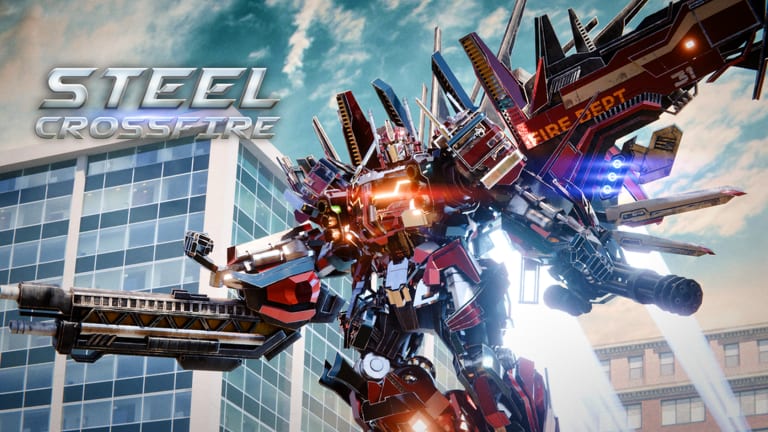
Redeeming Steel Crossfire codes takes less than a minute when you know where the menu lives and how Roblox handles copy-paste on PC versus phone. This guide walks through every step for Marmot’s Oven’s experience on Place 133197203959042, then covers troubleshooting so you do not waste boosters or assume a working code is expired when the real issue is a typo.
Before you start
Grab codes from the active codes list instead of social comments—comment threads love to add invisible spaces or wrong capitalization. Steel Crossfire promos are case sensitive; SEASON1 and Season1 are not interchangeable unless both variants are confirmed live.
You must reach the lobby (main menu), not an active Team Deathmatch or Domination round. Pause menus inside matches do not expose the gift redeem flow. Finish or leave your current session, wait for the lobby to load, then continue below.
Step-by-step redemption
Step 1: Open Steel Crossfire
Launch the game from Roblox search or your official game link. Let assets finish downloading on first install; redeem buttons may lag if textures are still streaming.
Step 2: Find the gift icon
In the lobby UI, locate the gift icon—the standard promo entry point Marmot’s Oven uses for code entry. It sits with other lobby shortcuts (shop, modes, Battle Pass). Tap or click it once; do not spam-click, which can freeze the overlay on low-end mobile devices.
Step 3: Choose Enter code
Select Enter code from the gift menu. A text field appears. Clear any leftover characters from previous attempts before pasting a new string.
Step 4: Paste the code exactly
Copy from our active codes table and paste with Ctrl+V on PC or long-press paste on mobile. Avoid typing 20KLIKES1 or UPDATE manually unless you enjoy debugging typos. Confirm there are no leading or trailing spaces.
Step 5: Press Redeem
Hit Redeem and watch for a success toast. Valid codes grant Shards, boosters, or both instantly. Your Shard total updates in the shop currency readout; boosters appear as timed buff icons or consumable entries depending on the current Season 1 UI skin.
Step 6: Verify rewards
Open the shop or inventory and confirm the payout. Screenshot success messages if you maintain a personal code log across multiple Roblox accounts.
Platform-specific tips
PC
PC players redeem fastest with clipboard copy from the wiki. Keep the Codes hub open on a second monitor. After redeeming SEASON1 boosters, queue Domination immediately so the 24-hour timers earn compound value—see how to get Shards for mode payouts.
Mobile
Mobile Roblox keyboards auto-capitalize aggressively. Always paste. If paste is disabled, type in all caps for codes like 20KLIKES first; if that fails, try documented mixed-case variants once. Adjust on-screen HUD later via mobile controls settings once rewards are secured.
Tablet
Tablets follow the mobile client but offer more screen space for the gift overlay. Landscape mode helps you read the full error string when redemption fails—note the exact wording before retrying.
Troubleshooting failed codes
| Symptom | Likely cause | Fix |
|---|---|---|
| ”Invalid code” | Typo or expired string | Re-copy from active codes; try alternate SEASON1 capitalization |
| ”Already redeemed” | Used on this account before | Normal—switch to another code in the table |
| Nothing happens | Lobby still loading | Wait for shop icons to appear; relaunch the experience |
| Success but no Shards | UI delay | Re-open shop; restart client if balance stays wrong |
| Code works for friends, not you | Account already claimed | One redemption per Roblox user |
If every active code fails simultaneously, check latest updates for emergency maintenance. Rare platform outages affect Roblox economy services across games, not just Steel Crossfire.
Booster timing after redeem
SEASON1 grants 24-hour Shard and XP boosters. Treat them like scheduled buffs:
- Activate when you have 90+ minutes to play, not before bed.
- Prefer Domination or long Team Deathmatch streaks where you stay until round end.
- Learn transform modes first so booster time is not spent dying in spawn.
Boosters do not refund if you redeem but log off. Shards, however, never expire—safe to bank them while you practice parries in Bot form.
Security reminders
Real Steel Crossfire codes never ask for your Roblox password, email OTP, or “verification” on third-party sites. The only legitimate flow is lobby gift icon → Enter code → Redeem tied to your logged-in Roblox session.
Ignore DMs promising “infinite Shards” or modded clients. They are scams. This unofficial wiki lists only strings meant for the public gift menu.
What to do after redeeming
Work through the full active codes checklist on each account you play. Then spend Shards with a plan: consult best starters before buying high-skill bots, and read Getting Started if you are new to Valorians versus Reavers.
When codes dry up between milestones, switch to legitimate Shard farming in how to get Shards and daily objectives. Codes accelerate progress; they do not replace playing objectives in Steel Crossfire’s Bot, Vehicle, and Jet loop.
Related pages
- Active codes table — rewards and case notes
- Codes hub — economy overview and safety
- PC controls — spend less time dead after you buy a new bot
- Season 1 Battle Pass — use XP boosters wisely
Frequently Asked Questions
Quick answers to the most common Steel Crossfire questions.
Where is the Steel Crossfire redeem button?
In the lobby, open the gift icon and choose Enter code. You cannot redeem from inside an active match pause screen.
Why paste instead of typing codes?
Steel Crossfire codes are case sensitive and easy to mistype on mobile. Copy from the [active codes](/codes/active-codes/) table to avoid errors.
Can I redeem codes on a new alt account?
Yes. Each Roblox account gets one redemption per code. Main and alt accounts each need their own pass through the table.
Do boosters start immediately after redeem?
SEASON1 boosters typically activate on redeem or first use depending on the current UI. Check your buff bar and play within 24 hours once they start.
What if redemption succeeded but Shards are missing?
Re-open the shop, relog, or rejoin the experience. Persistent issues may follow a patch—see [latest updates](/updates/latest/) before filing a bug report.