Mobile Controls for Steel Crossfire
Touch joysticks, on-screen transforms, and HUD layouts that keep you alive.
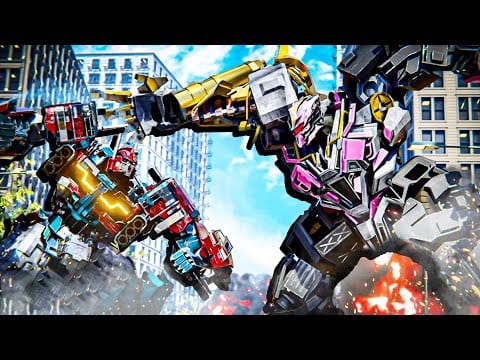
Steel Crossfire on mobile and tablet uses Roblox’s touch client: dual virtual joysticks, fire and aim buttons, plus on-screen actions for transform, melee, parry, dash, and abilities. Marmot’s Oven designed the experience for cross-platform Valorian versus Reaver matches, so mobile players can cap Domination points and redeem active codes just like PC—but only if your HUD layout matches your thumb reach. This guide translates official PC bindings into touch habits and shows how to customize controls in settings.
Default mobile layout
Roblox places a movement joystick on the left and a camera joystick on the right. Steel Crossfire overlays combat buttons for:
- Fire (primary shooting)
- Aim or ADS where applicable in Bot form
- Transform (equivalent to T on PC)
- Melee, Parry, Dash, Jump, and Reload in Bot form
- Boost, Drift, Ascend, and Descend depending on Vehicle or Jet form
Exact icon positions shift with aspect ratio (16:9 phones versus iPad screens). Open the in-game settings menu to enter Steel Crossfire’s control customization screen—official description confirms mobile controls are adjustable.
Customizing your HUD
Before ranked Domination, spend ten minutes in a Team Deathmatch lobby rearranging buttons:
- Enlarge Transform and place it where your thumb naturally rests after jumping—missing transform loses caps to PC players who chain T faster.
- Separate Parry from Melee so panic taps do not whiff both.
- Move Dash away from Jump to stop accidental dashes off objectives.
- Raise Fire slightly for claw-grip players who aim with the right joystick.
- Save layout, then test Bot → Vehicle → Jet → Bot in a quiet match.
Customization is per-device. If you swap phone and tablet, rebuild layouts instead of assuming Roblox cloud sync covers Steel Crossfire-specific slots.
Bot mode on mobile
Bot form maps to the richest button set:
| PC key | Mobile equivalent |
|---|---|
| WASD move | Left joystick |
| Camera / aim look | Right joystick |
| T transform | Transform button |
| E melee | Melee button |
| Q parry | Parry button |
| Shift run | Run toggle or auto-run if enabled |
| Ctrl dash | Dash button |
| Space jump | Jump button |
| LMB fire | Fire button |
| RMB aim | Aim button (hold) |
| R reload | Reload button |
| F switch weapons | Weapon swap button |
Mobile Bot fights are about parry discipline—tap parry on reaction, not pre-emptively every second, or you whiff against feinting Hardline players. Use cover and dash to disengage when jet strikers dive; do not hold aim so long that you stop strafing on the left stick.
Weapon swap (F on PC) must stay reachable when Bastion-style shields or mid-range loadouts demand different guns per range band.
Vehicle mode on mobile
Transform with the on-screen Transform button when you need rotation speed:
| PC key | Mobile equivalent |
|---|---|
| WASD drive | Left joystick |
| Shift boost | Boost button (hold) |
| Space drift | Drift button (hold) |
| RMB striker | Striker / aim button (hold) |
| LMB fire | Fire button (hold) |
Drift (Space hold on PC) is awkward on small screens—assign drift to a comfortable thumb spot and practice figure-eight paths in Team Deathmatch before chasing Domination flanks. Boost without drift overshoots corners, feeding free kills to jet campers.
Striker holds require steady right-thumb pressure while steering with the left stick. Lower camera sensitivity if strikers skid off-target.
Jet mode on mobile
Jet form verticality is hardest on touch:
| PC key | Mobile equivalent |
|---|---|
| WASD move | Left joystick |
| Shift boost | Boost button (hold) |
| Space ascend | Ascend button |
| Ctrl descend | Descend button |
| RMB striker | Striker button (hold) |
| LMB fire | Fire button (hold) |
Stack ascend and boost deliberately, not permanently—hovering makes you an easy snipe for ground aim players. Descend onto caps, transform to Bot, plant. Read transform modes for when jet entries beat staying grounded.
Mobile versus PC parity
PC players get faster Q parries and Ctrl dashes with physical keys. Mobile closes the gap with optimized HUD, not raw speed. To compete:
- Paste codes instead of typing—free Shards buy forgiving starters from best starters.
- Play Domination with squad voice or ping habits; rotation matters more when transform is 200ms slower.
- Use Wi-Fi for consistent jet striker timing; packet loss ruins hold-to-fire inputs.
Redeeming codes on mobile
Mobile redemption uses the same lobby gift icon → Enter code → Redeem flow as PC. Follow how to redeem for paste tips—auto-correct breaks 20KLIKES1 and case-sensitive SEASON1 strings. Redeem before adjusting HUD so boosters apply to your tuned layout session.
Performance and accessibility
Lower Roblox graphics if frame drops cause missed parries. Larger phones help; tablets offer PC-like spacing for transform chains. Roblox accessibility options (color blind modes, etc.) stack with Steel Crossfire settings—recheck after latest updates when UI skins change button contrast.
Practice routine for mobile
- Customize HUD in settings.
- Team Deathmatch: 10 minutes Bot parry versus melee rushers.
- Team Deathmatch: 5 minutes Vehicle drift loops around a map landmark.
- Team Deathmatch: 5 minutes Jet ascend/descend touch rhythm.
- Domination: apply Domination tips with transform chains.
- Review Getting Started if factions or modes still confuse.
Related pages
- PC controls — reference keys mobile maps to buttons
- Transform modes — when to transform on touch
- Controls hub — full overview and checklist
- How to get Shards — earn currency when codes run out
Frequently Asked Questions
Quick answers to the most common Steel Crossfire questions.
Can you customize Steel Crossfire controls on mobile?
Yes. Open in-game settings and adjust button positions and sizes. Rebuild layouts when switching phones or tablets.
Where is transform on mobile?
Use the on-screen Transform button—it replaces **T** on PC. Place it prominently during HUD customization.
Is Steel Crossfire playable on phone?
Yes, with practice. Optimize HUD, use Wi-Fi, and start with forgiving bots from [best starters](/tier-list/best-starters/).
How do I parry on mobile?
Tap the Parry button in Bot form, equivalent to **Q** on PC. Separate it from Melee in settings to avoid mis-taps.
Why do mobile codes fail more often?
Keyboards auto-capitalize and add spaces. Paste from [active codes](/codes/active-codes/) per [how to redeem](/codes/how-to-redeem/).